Threshold Flow
A church visitor welcome flow that turns a QR scan into a warm next step and a useful Care Profile.
Primary outcome
Turns a QR scan in the lobby into a Care Profile with context, consent, and a warm follow-up draft — not just a name and email address.
What the operator can do
See the weekend's visitors as a clean list Monday morning. Open a Care Profile, read what the person shared and consented to, and use the draft follow-up panel to send a warm, appropriate message — without guessing what to say or where to start.
Product evidence
What the system looks like
Real screenshots are used for public systems. Private systems use clear system posters until approved screenshots are available.
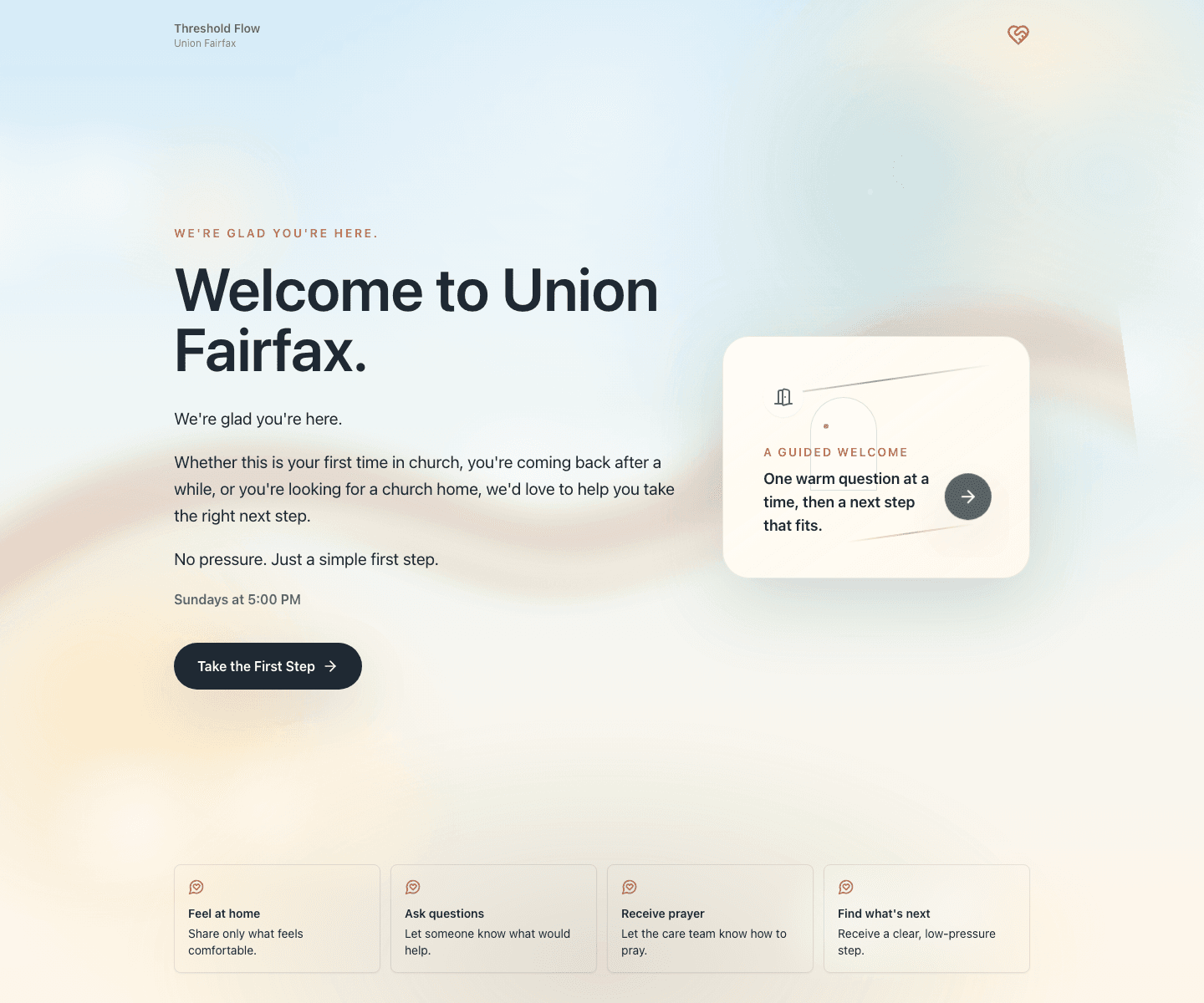
Public visitor flow captured at 1440 width from the Union Fairfax pilot URL.
Visitor welcome path
- 1Scan QR card in the lobby
- 2Land on mobile welcome page
- 3Walk through gentle intake
- 4Receive warm confirmation
app.thresholdflow.com
Problem
Church visitor cards and generic forms often miss the context a care team needs: why someone came, what kind of support they want, and how they should be followed up with.
Solution
A mobile QR welcome flow that asks gentle questions, gives the visitor a next step, and gives the church team a Care Profile with pastoral context and follow-up guidance.
Impact
Moves visitor follow-up from scattered card capture toward a clear care workflow with consent, context, and next steps.
Before this existed
What this system replaced
What it replaced
- Paper visitor cards that sit in a stack until someone processes them on Monday
- Generic Google Forms with no follow-up guidance or pastoral context
- Spreadsheets for manually tracking first-time guests and their situations
- Informal pastoral notes without consent, structure, or next-step visibility
What it actually is
A closer look at the system
Threshold Flow has two halves. The public half is a per-church QR welcome flow: a visitor scans a sticker or card in the lobby, lands on a mobile page branded for that church, and answers gentle questions about why they came and how they would like to be welcomed. The private half is an admin area where the church team reviews each visit as a Care Profile: who showed up, what they shared, what kind of follow-up they consented to, and what the system suggests as a warm next step. The visitor flow is intentionally lightweight; the admin area is where most of the actual product lives.
Operator view
What it feels like to use
A pastor or care lead opens the Threshold admin on Monday morning and sees the weekend's visitors as a clean list. Each row leads to a Care Profile with the visitor's responses, suggested context, follow-up consent, and a manual action panel that drafts (but never sends) the appropriate next message. Admins can manage church-level branding, QR cards, welcome copy, and the team that can see profiles, without touching code.
Inside the admin
What the operator side of this system can actually do
Care Profile page per visit: the visitor's name, situation, what they shared, and what they consented to.
Suggested pastoral context generated from the visitor's responses, written in plain pastoral language.
Follow-up draft panel that produces a message tailored to the visit type (first-time guest, returning, prayer request, care need) — drafts only, manual send.
Consent and visibility controls so sensitive notes do not show up on shared dashboards by default.
Per-church branding: church name, location, logo, welcome copy, theme colors, and QR card layout.
QR card generator that produces print-ready welcome cards tied to each church's visitor URL.
Team roles so volunteers, hosts, and pastoral leads see only what they should see.
Visitor history view that links repeat visits together without losing the original Care Profile.
Demo and pilot tools that let a new church preview the visitor flow before going live.
Activity log of who viewed or acted on a Care Profile, so care follow-up stays accountable.
How it works
The workflow from end to end
Workflow steps
- 01A church places a Threshold QR card or sticker in the lobby or welcome area.
- 02A visitor scans it and lands on a per-church mobile welcome page branded for that church.
- 03The visitor walks through a short, gentle intake: who they are, why they came, what kind of welcome they want.
- 04The system stores the responses as a Care Profile and notifies the church team.
- 05An admin opens the Care Profile, reviews the responses, and reads the suggested pastoral context.
- 06Admin uses the follow-up draft panel to compose a warm message; the system never sends automatically.
- 07Repeat visits are linked under the same visitor history so context is not lost.
- 08Admin updates branding, team roles, or QR cards as needed from the admin area.
Under the hood
System modules and current build status
System modules
Labels show what is actually built today versus in progress or planned.
- Per-church visitor flowBuilt
Mobile QR welcome page with church-specific branding, copy, and intake questions.
- Care Profile adminBuilt
Per-visit dashboard that combines visitor responses, suggested context, and follow-up tooling.
- Follow-up draft toolingBuilt
Message draft helpers tuned to visit type; manual send only, no auto-email to visitors.
- Church admin and brandingBuilt
Church-level settings for name, theme, logo, welcome copy, and QR card layout.
- Team roles and visibilityBuilt
Roles for volunteers, hosts, and pastoral leads with appropriate Care Profile access.
- QR card generatorBuilt
Print-ready welcome card and sticker generator tied to each church's visitor URL.
- Pilot feedback packagingIn progress
Structured way to capture and document feedback from pilot churches.
- Cleaner public church demo pathPlanned
Lightweight demo route so a new church can preview the visitor and admin experience before going live.
Where it fits
Business use cases this pattern fits
Use cases
- First-time guest welcome flow that replaces a paper visitor card with something warmer and more useful.
- Care and prayer request intake that respects consent and routes context to the right person.
- Pastoral follow-up tool for small churches without a full church management platform.
- Multi-campus or multi-church setup where each location has its own branded welcome path.
Capabilities
- church-specific QR welcome flow
- visitor response intake
- Care Profile summaries
- manual follow-up safety
- admin demo tools
Proof points
- public pilot visitor route
- admin Care Profile workflow
- QR and welcome card tools
- manual email follow-up guardrails
What it proves
- Custom systems can support care and hospitality without making the experience feel transactional.
- A good intake flow can serve both the visitor and the team responsible for follow-up.
Next milestones
- confirm production deployment settings
- document pilot feedback
- package a cleaner church demo path
Could this work for you?
How this pattern applies to other businesses
Any faith community or care-oriented nonprofit that wants warmer, more personal follow-up after a first visit — without a full church management platform.
Build a church follow-up systemWant a system shaped around your workflow?
If your team is juggling spreadsheets, forms, follow-up, content, billing, or customer context across too many places, Flowdrive can help turn it into a practical tool.